
Research. Execute. Monitor.
From an idea to a system that trades on its own.
Develop, optimize and profit from algorithmic trading systems.
Trading systems that run without you.
Built on statistics, not promises.
Automate the strategy you already trust.
Software, training and advisory for systematic traders, from research and testing to live execution.
A complete toolkit for analyzing performance, building robust systems and operating an automated portfolio with confidence.
Nothing here is a black box. Learn the research process, inspect the evidence and understand every decision from idea to live deployment.
A disciplined workflow for researching, validating and monitoring systematic strategies across markets and platforms.
Use professional tools, learn the full development process or work one-to-one on the system you are already building.
Software
Five focused tools for performance analysis, systematic execution, data quality and dependable live operations.
Courses
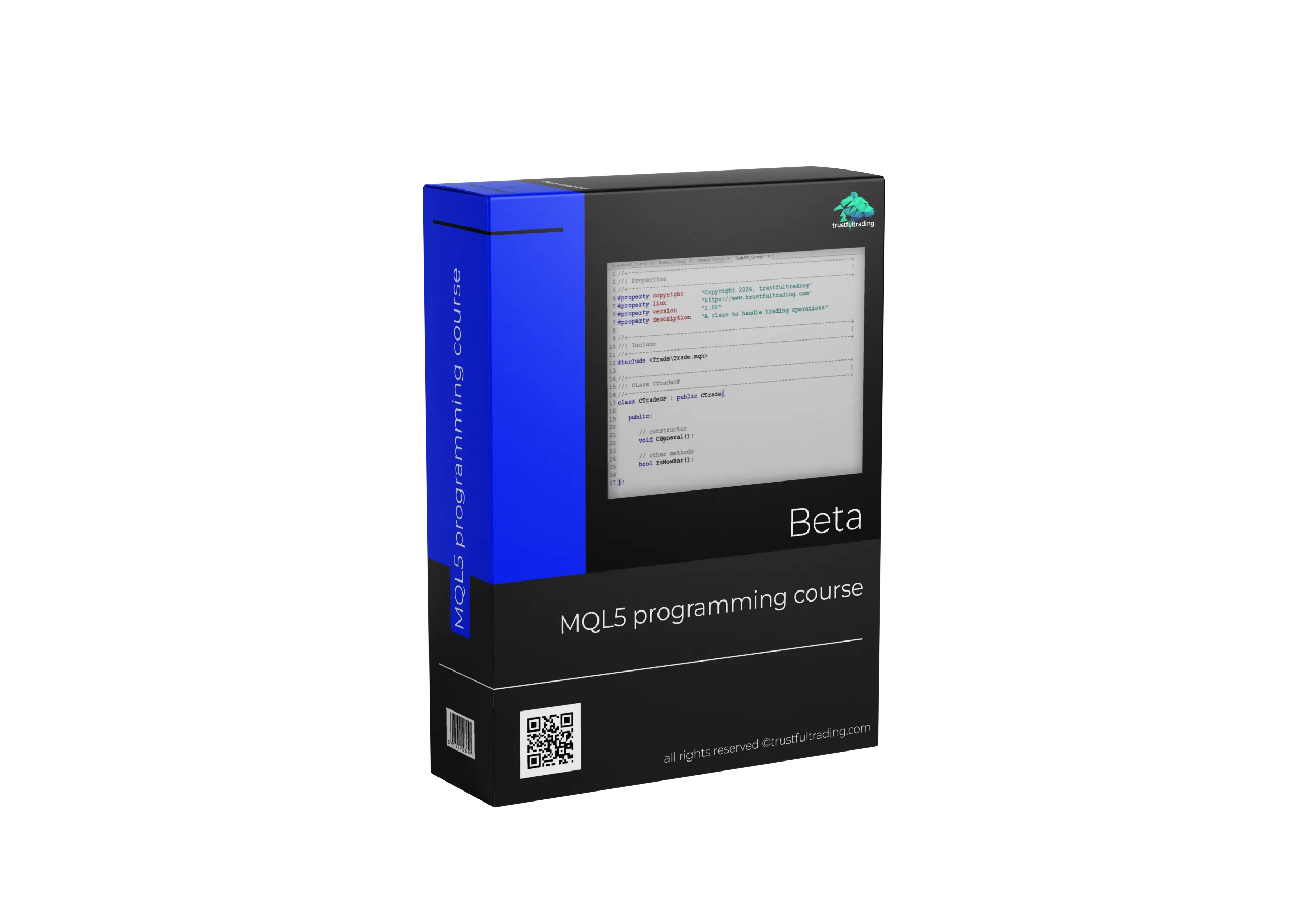
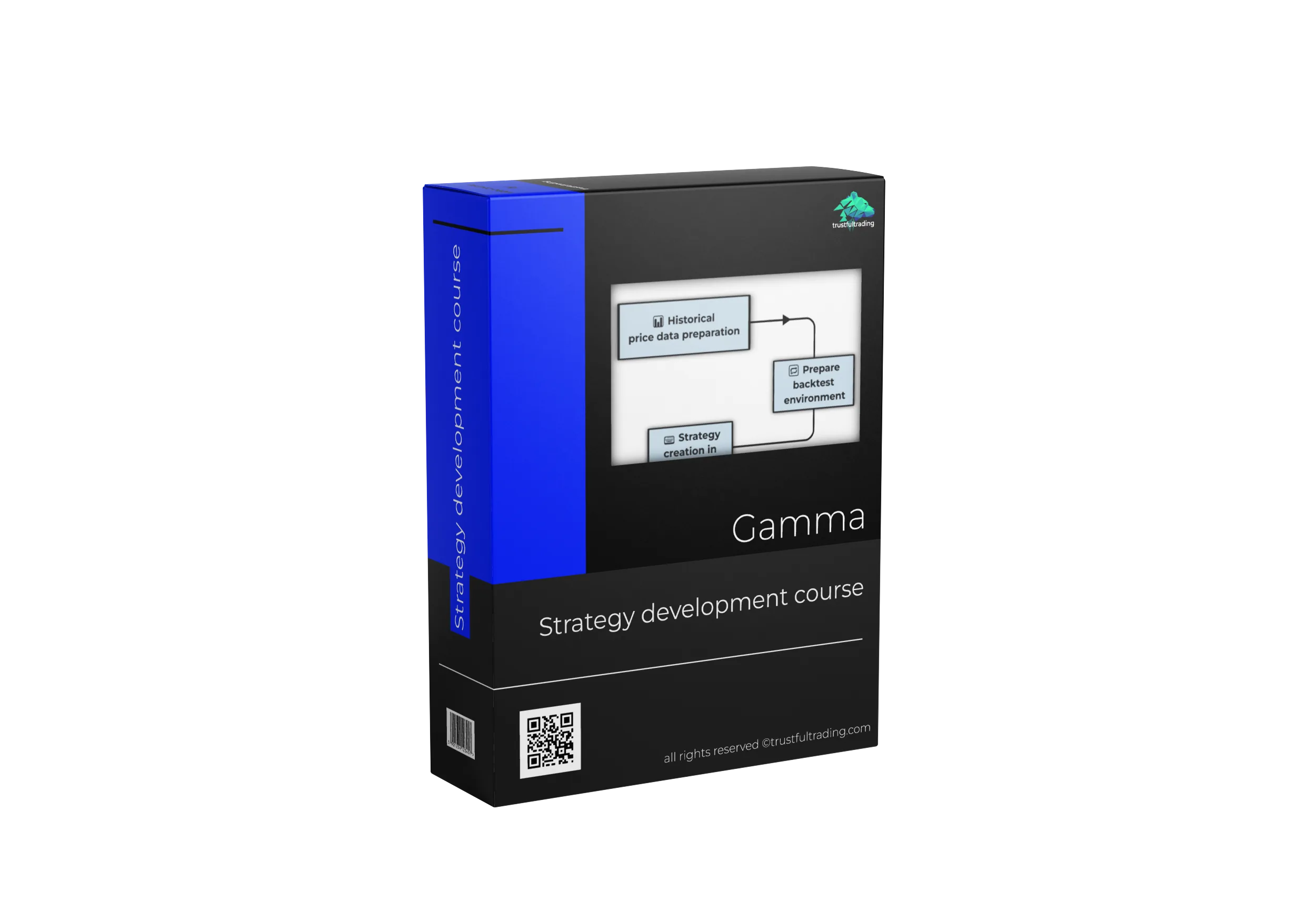
Learn to develop your own trading systems with the Alpha, Beta and Gamma video courses.
Wherever you are in the process, we'll take the next step together.
One-to-one guidance at every stage—from finding and defining an idea to coding, testing, portfolio construction and confident live operation. You do not need an existing strategy to begin.
Book a sessionYouTube
Videos on every stage of algorithmic trading, from first steps to more complex topics.
Watch →Broker
A broker provides the infrastructure you trade on. See which one we use and why.
Learn more →VPS
Automated systems need dependable infrastructure. Learn how to keep your trading stack available around the clock.
Learn more →Tools for the complete algorithmic trading workflow.
Analyze results, operate a portfolio, validate market data and monitor live execution. Each tool solves a problem from our own systematic trading workflow.
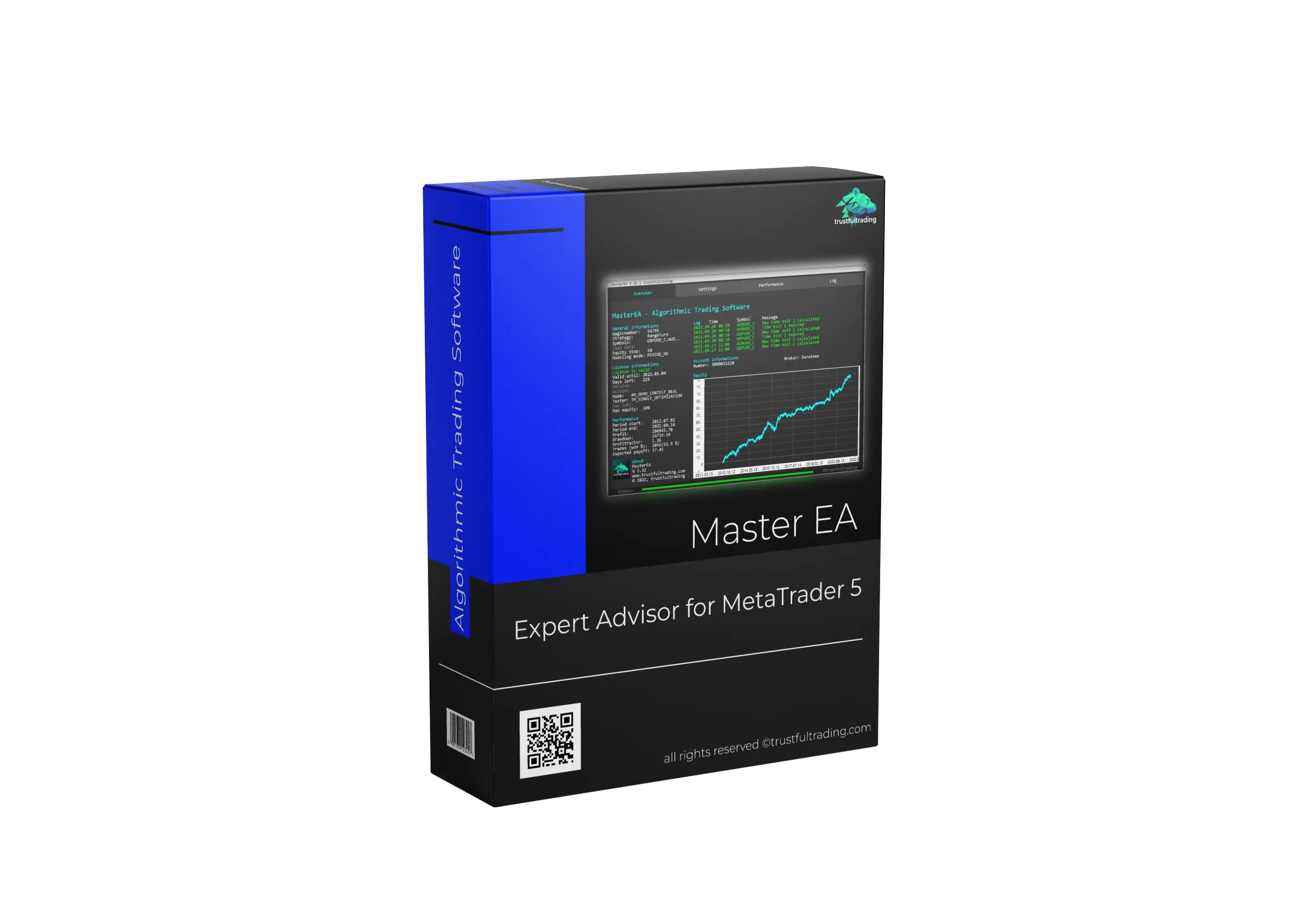
Master EA
Build, test and automate your own rule-based trading systems in MetaTrader 5—without writing code. Combine an entry signal with the filters, exits and risk controls your strategy needs.
Turn an idea into an automated ruleset.
MasterEA uses a transparent pipeline: one entry signal creates an opportunity, every active filter must approve it, trade management defines the position and exit rules decide when the trade ends.
Define the setup
Choose time-, indicator-, bar- or range-based entry logic.
Set the conditions
Add multiple filters; all active filters must agree before execution.
Control the trade
Size by fixed lots, money risk or a percentage of account balance.
Define the outcome
Use time, duration, indicators, stops, targets and trailing logic.
The building blocks inside MasterEA
Create different strategy styles from the same structured engine and keep every rule visible, editable and testable.
From price action to indicators
Time Range, Time Entry, Moving Average, JRSX, RSI, Stochastic, Bollinger Bands, Bar and High/Low signals. Dedicated Time and Duration exits are also included.
Trade only when conditions align
Filter by time, weekday, trend, volatility, efficiency, bar structure, signal size and recent trade activity. A high-impact news filter can pause new trades around scheduled events.
Flexible stops and targets
Define stop loss and take profit by pips, market percentage, ATR, standard deviation, recent extremes or entry-signal size—with fixed, price-trailing and time-trailing stop logic.
Account-level emergency brakes
Set minimum equity, maximum floating loss, maximum strategy drawdown and daily drawdown limits. If a configured limit is exceeded, MasterEA stops new entries and closes its open positions.
Manage more from one chart
Trade the current symbol or a defined list of symbols from one EA instance. Separate magic numbers and strategy names keep configurations identifiable in reports.
Know what the system is doing
Review timestamped information, warnings and errors in the integrated log. Optional MT5 email alerts can report trade events and technical problems during unattended operation.
Configure, monitor and analyse without leaving the chart.
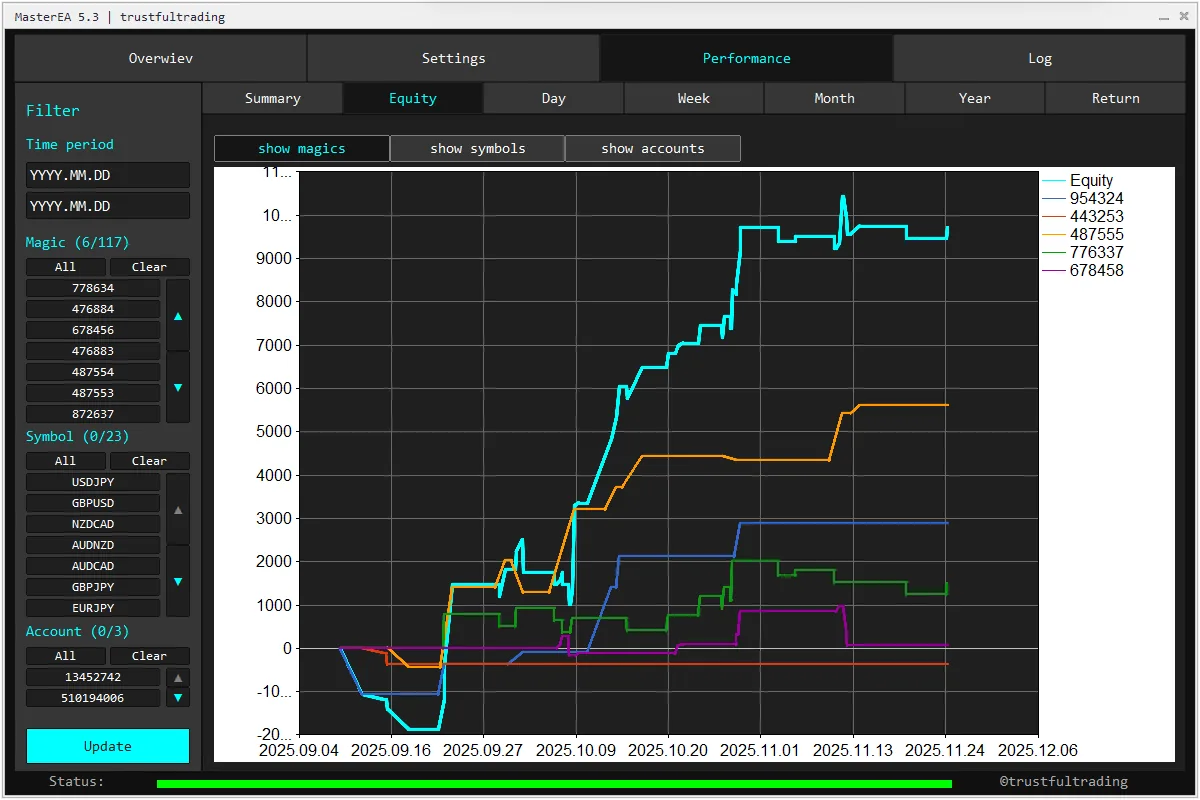
The integrated dashboard gives you four focused areas instead of hiding the system behind a single status line.
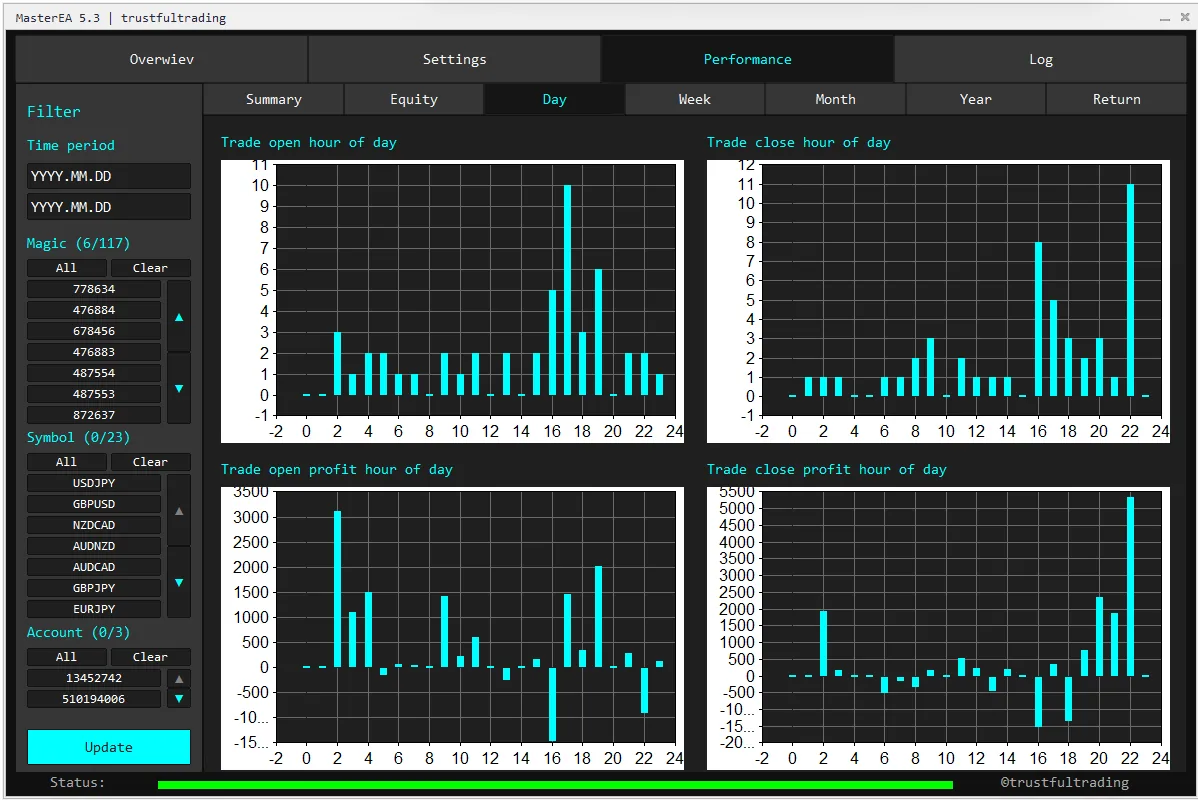
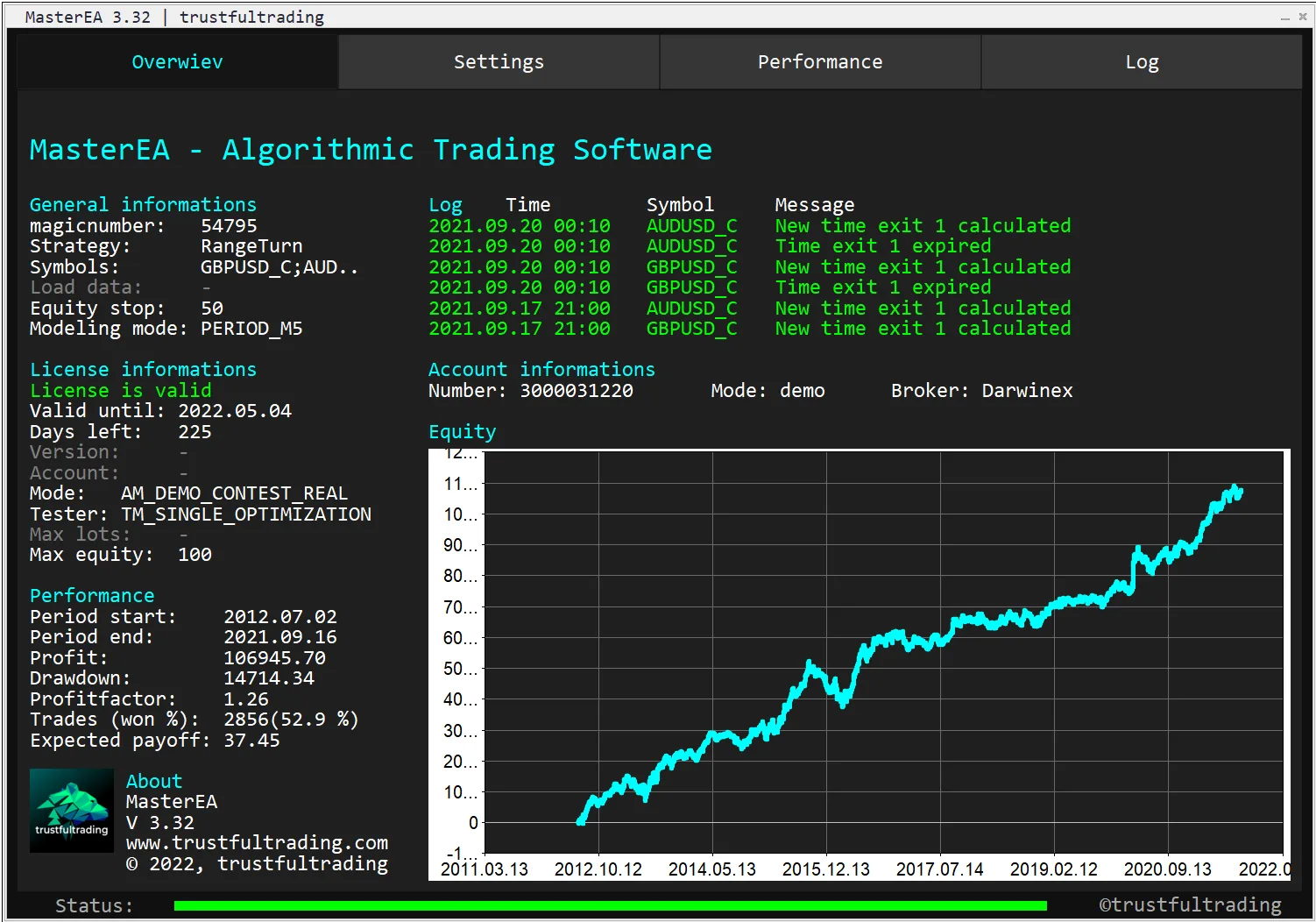
Test the same rules you intend to run.
MasterEA works inside the MT5 Strategy Tester and includes dedicated tooling for single tests, optimization and forward validation.
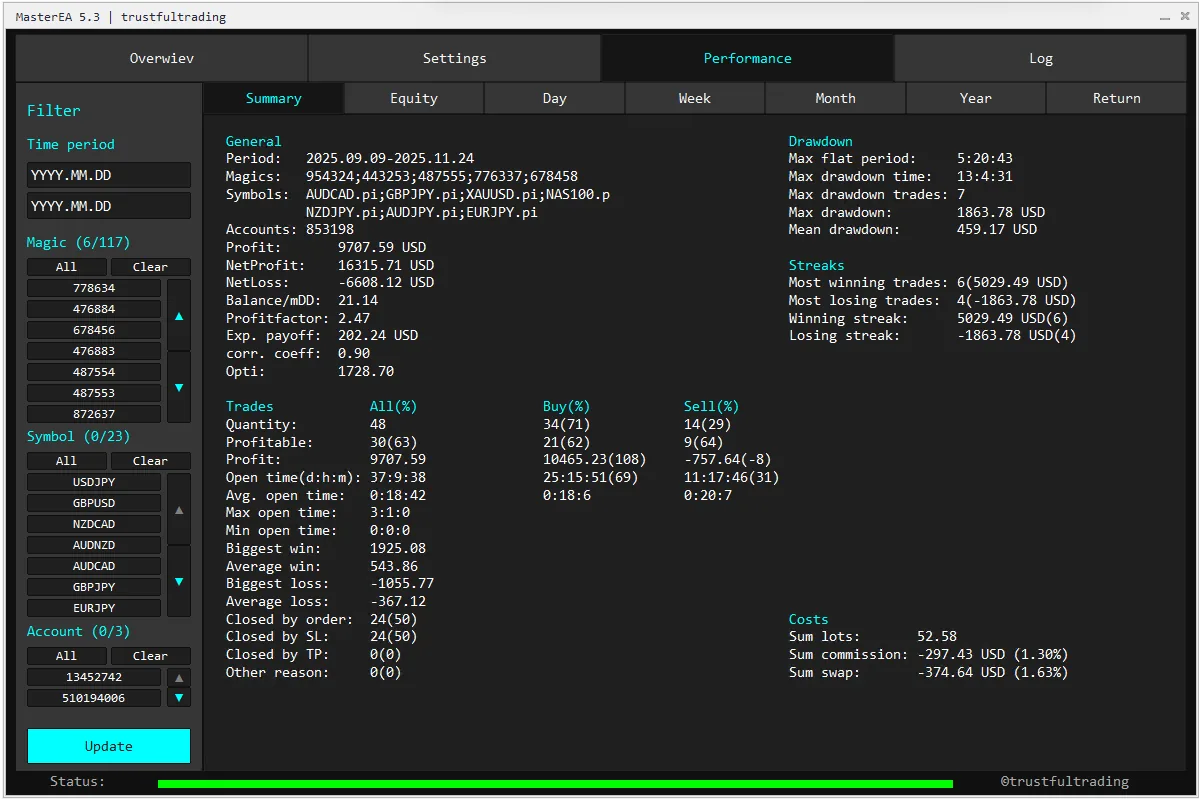
Inspect the complete result
Evaluate equity, drawdown, profit factor, expected payoff, trade count and detailed transactions before considering live use.
Search beyond the best pass
Use custom optimization criteria, time-based equity recording, neighbour analysis and walk-forward evaluation to judge parameter stability.
Validate in live conditions
Save configurations as .set files, then run the same setup on a demo account to compare spreads, execution and behaviour with the backtest.
React on every tick.
Choose a normal modeling timeframe to evaluate rules once per bar, or use Every Tick to evaluate entries, exits and filters on each incoming tick. This enables time-sensitive logic to react within a bar instead of waiting for the next candle.
See MasterEA in action.
Follow the workflow inside MetaTrader 5 and see how a strategy is configured, tested and monitored through the MasterEA interface.
What you need
MetaTrader 5
MasterEA is built for MT5. MetaTrader 4 is not supported.
An EA-compatible account
Any MT5 broker is supported in principle. Check symbol names, execution conditions and prop-firm rules before use.
Continuous operation
A stable VPS is recommended when strategies must remain active while your local computer is offline.
Want to build and automate your own strategy?
Get the complete modular strategy builder for a clear monthly price. Contact me if you have questions about the technical requirements or whether MasterEA fits your workflow.
MasterEA is a technical execution tool, not investment advice. Backtests and examples do not guarantee future results.
Trading Analyzer
A Windows desktop workspace for live account history, MT5 backtest reports and optimization results. Analyse strategies individually or as a portfolio, compare expected and realised behaviour, test robustness and make data-driven decisions.
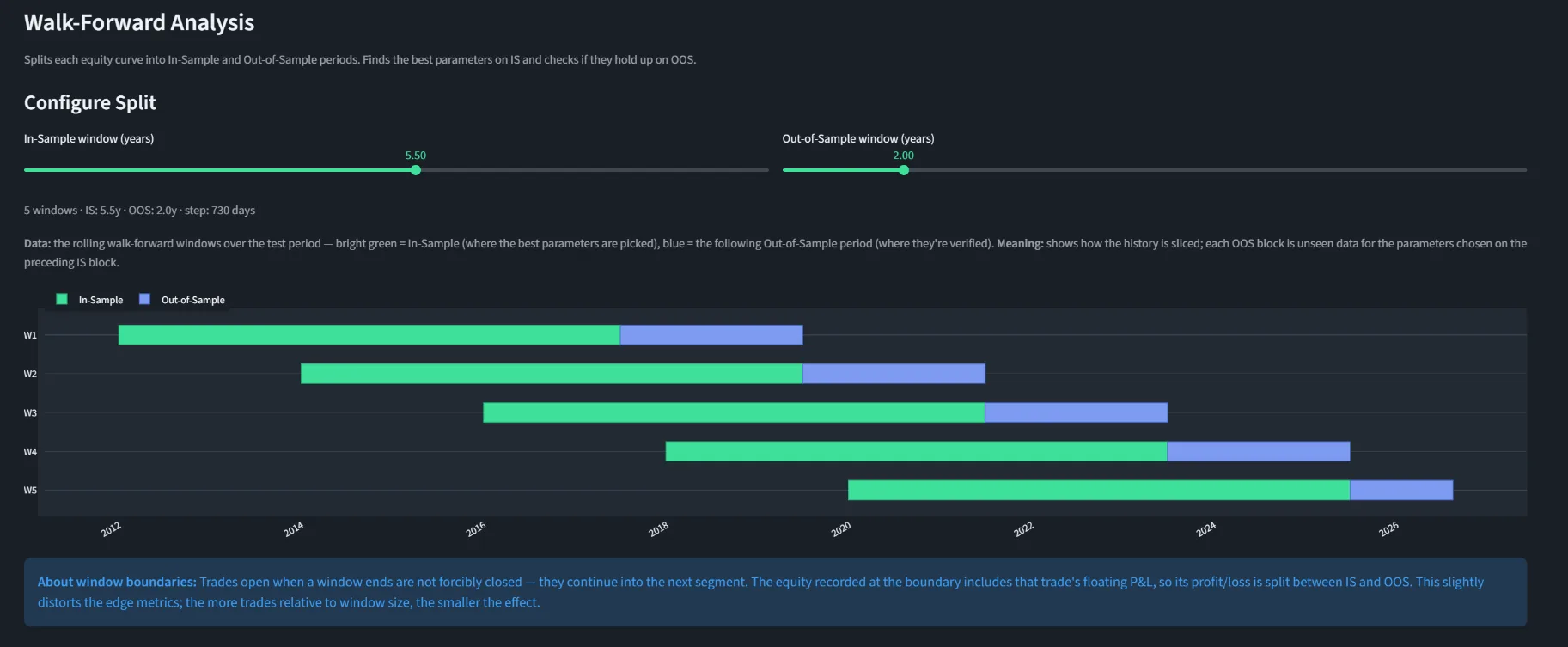
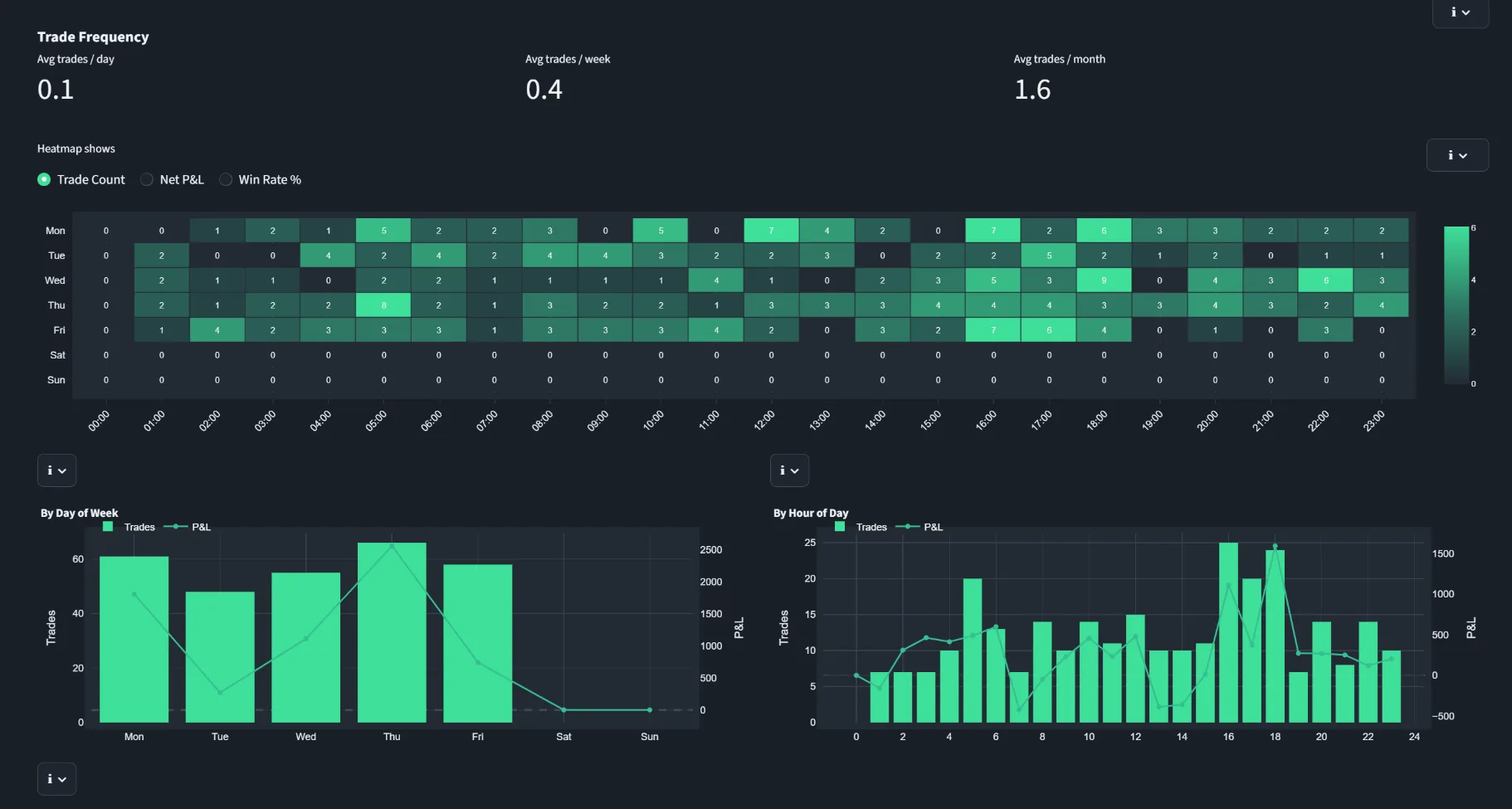
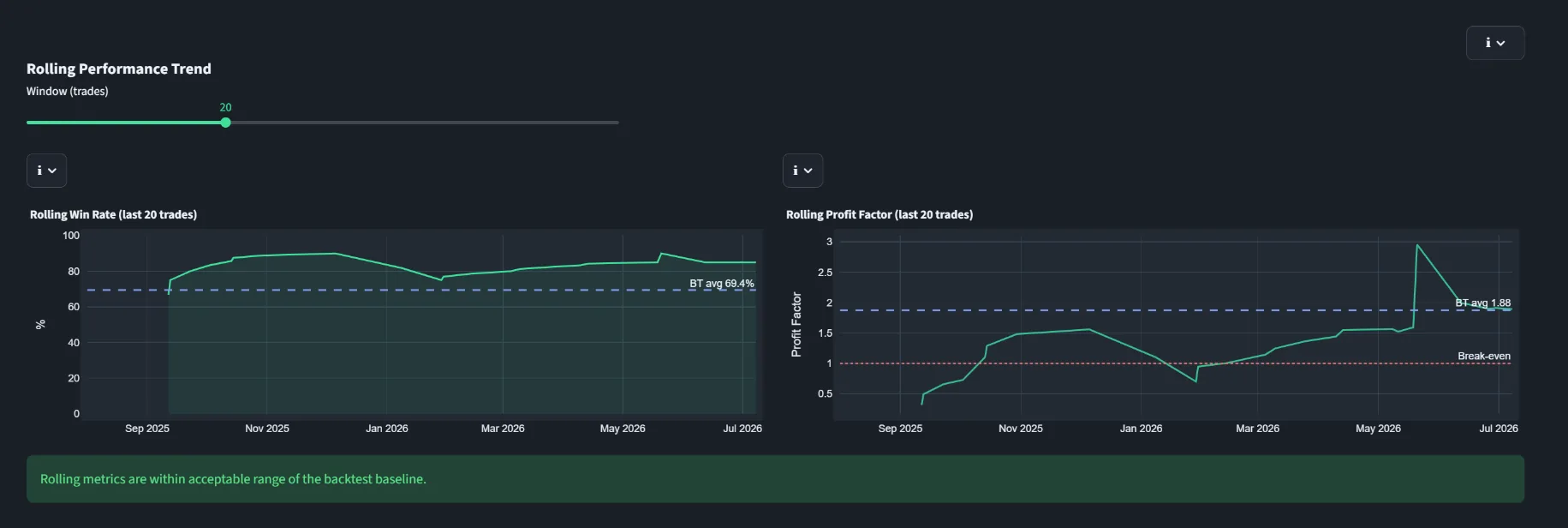
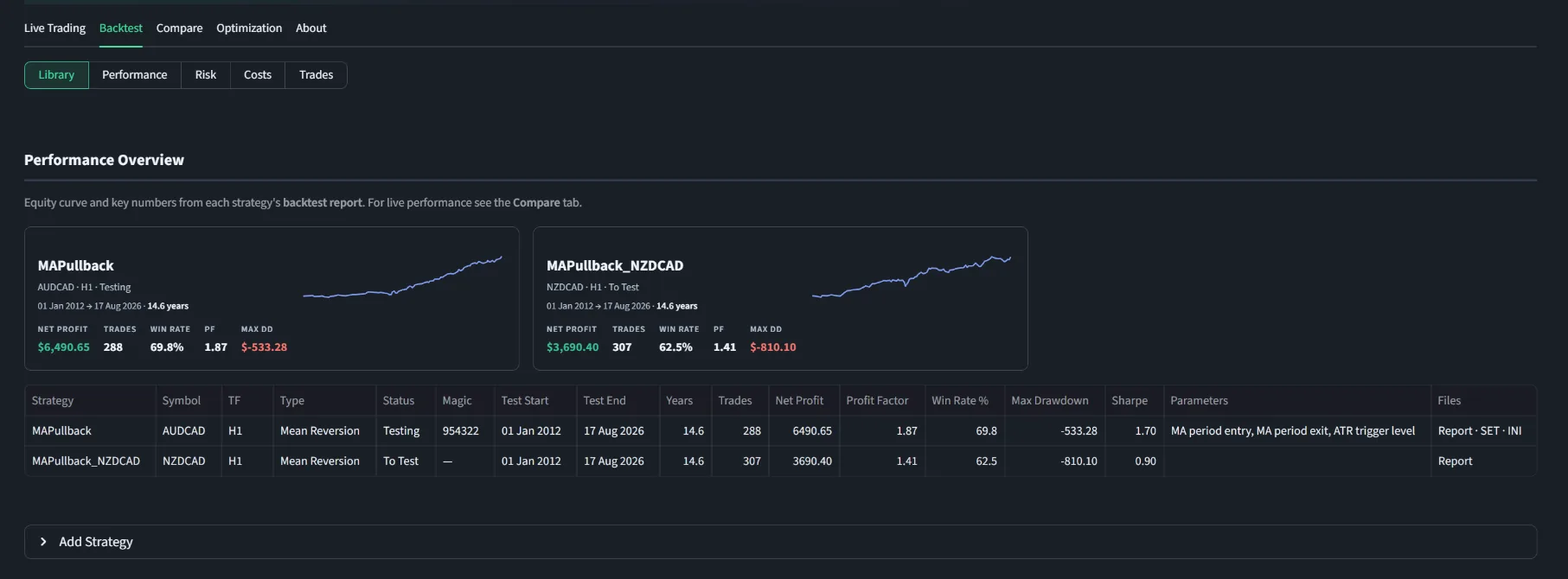
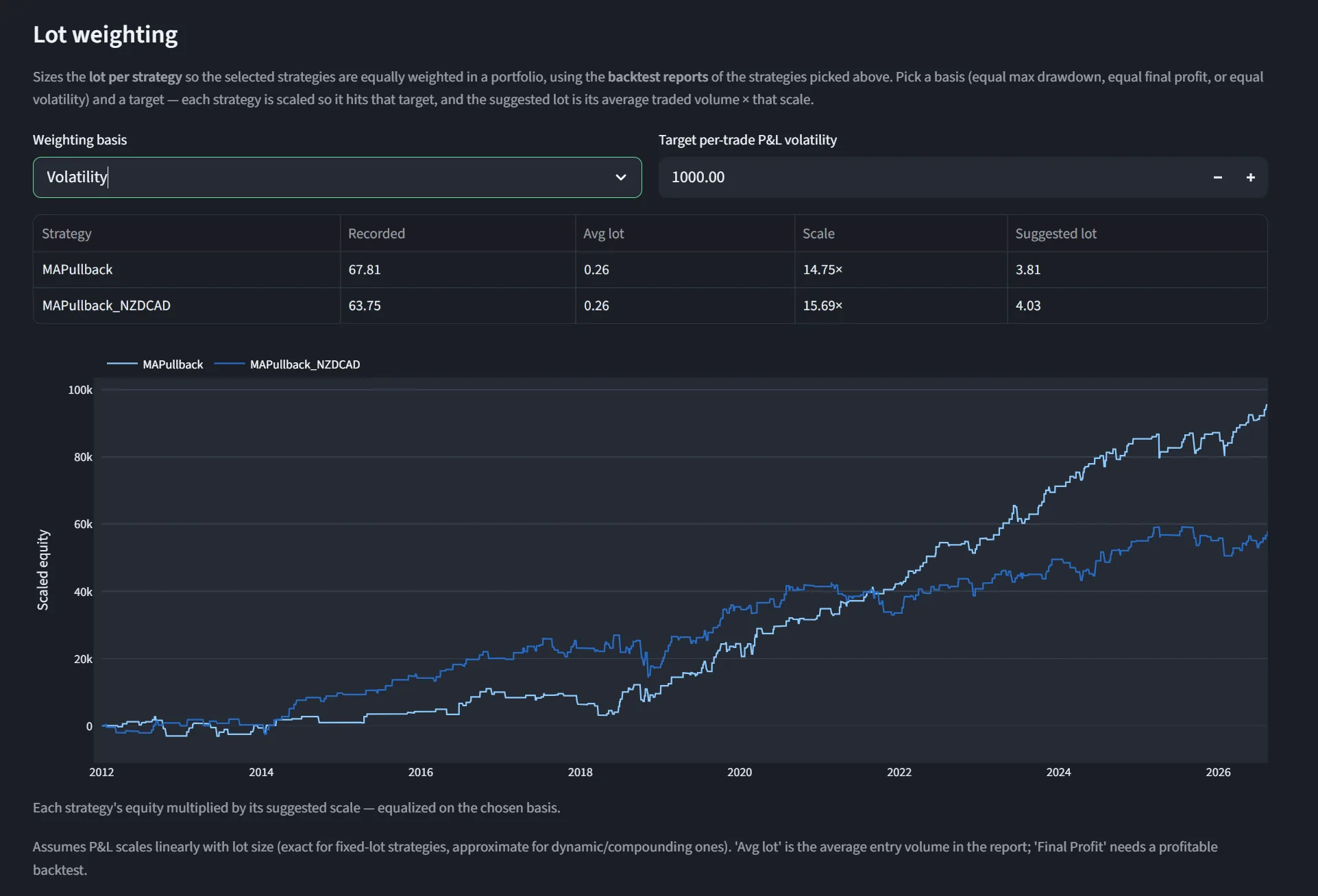
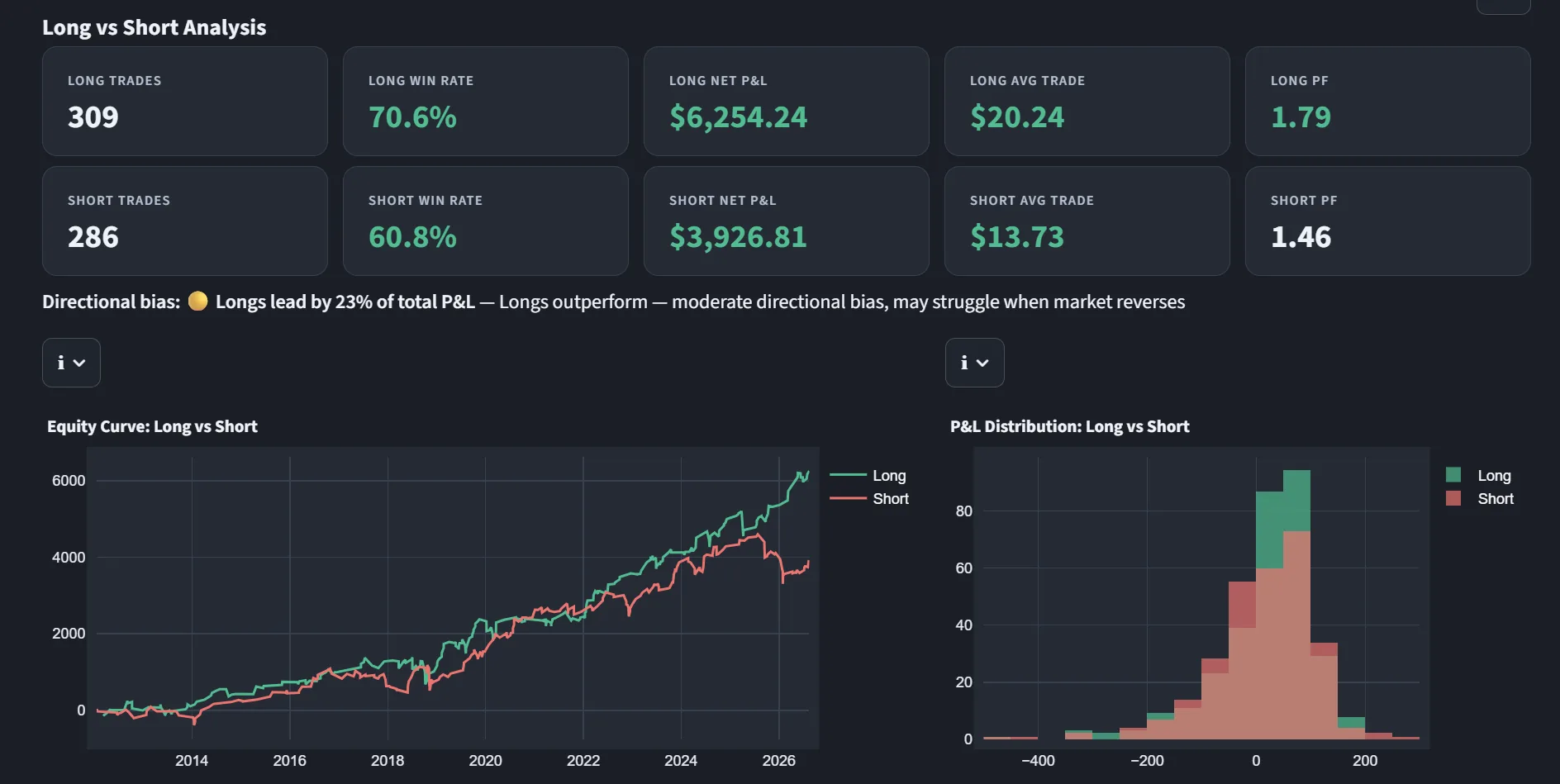
Trading Analyzer is an analysis tool, not investment advice. Screenshots show example data from the application. Backtests, simulations and past results do not guarantee future performance.
Keep live trading, backtests and optimization evidence in context.
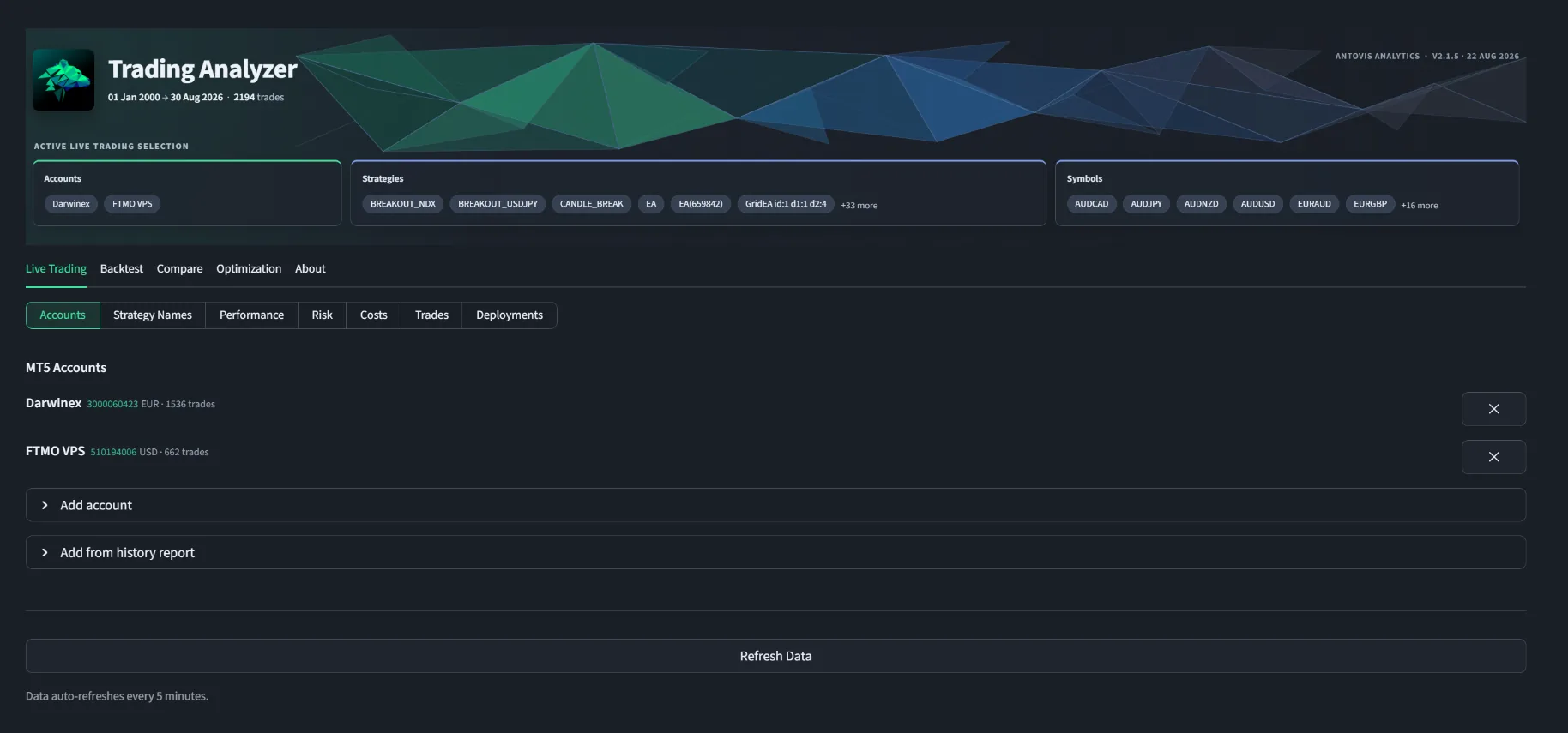
Trading Analyzer keeps every source in its own area, then gives you the tools to investigate performance, risk and execution without mixing simulated and live results. Filters apply before every KPI and chart, so each conclusion reflects the accounts, strategies, symbols and period you actually selected.
The complete Trading Analyzer 2.1.5 application for Windows, activated with your personal licence key.
From account history to portfolio robustness.
The feature set follows the way systematic traders actually work: review live execution, validate backtests, compare both, and challenge optimization results before deployment.
See what every account and strategy actually traded
Connect multiple MT5 terminals or import account history. Analyse performance, drawdowns, costs, trades and deployments by account, symbol, strategy and period, with automatic refresh and readable strategy names.
Build and evaluate a strategy portfolio
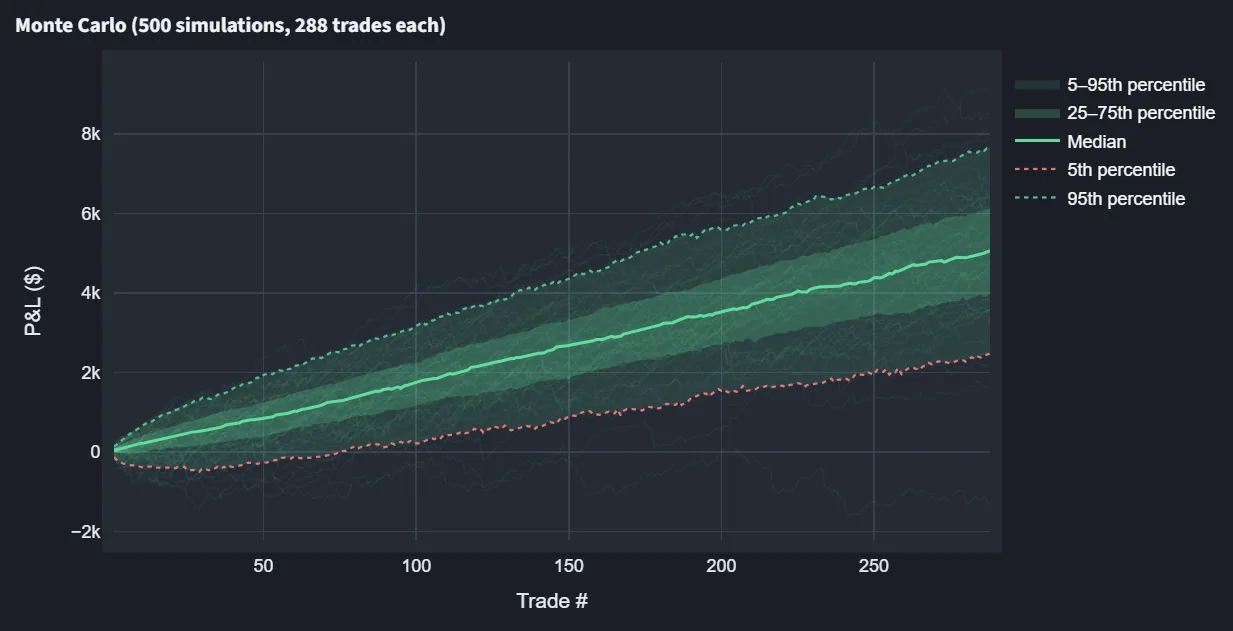
Maintain a library of MT5 Strategy Tester reports, combine strategies and inspect equity, monthly results, correlations, trade frequency, Monte Carlo paths and lot-weighting suggestions from one selected portfolio.
Measure expectation against live execution
Overlay live equity with a Monte Carlo expectation range and compare frequency, duration, drawdowns, rolling performance and streaks. Trade matching highlights deviations in timing, volume and result.
Look for robust regions, not isolated best passes
Inspect MT5 optimization passes with parameter surfaces, Walk-Forward, Robust WF, WFC, Probability of Backtest Overfitting, Monte Carlo and parameter-permutation tests, combined into a practical robustness score.
Stress drawdown, capital and historical margin
Review drawdown depth and duration, Risk of Ruin, Value at Risk and correlated drawdowns. Historical margin stress estimates peak margin, free margin, open lots and the balance required for a target margin level.
Keep the analysis usable in daily work
Convert mixed account currencies for portfolio comparison, export filtered trades, check magic-number deployments, preserve data across updates and create a diagnostics package without exposing histories or licence keys.
Know when your trading infrastructure stops.
Connection Monitor watches the broker connection, quote feed, trading permissions, account conditions and your trading EAs. It never places a trade—it observes, records and alerts.
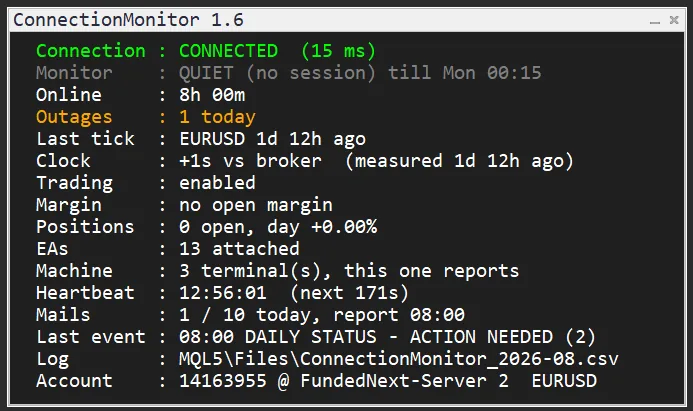
Detect problems when MT5 cannot report them.
A monitor running inside MT5 can diagnose trading problems, but it cannot send an alert after the terminal or VPS has failed. Connection Monitor separates those jobs.
Diagnose inside MT5
Monitor connection, quotes, permissions, margin, positions, clock drift and the state of trading EAs. Alerts are sent through MT5 email or push notifications.
Detect a silent terminal
An external heartbeat can alert when MT5 freezes or crashes, the VPS loses power or the internet connection disappears.
Recover automatically
The optional scheduled task runs outside MT5, detects missing or frozen terminals, checks free disk space and can restart each registered terminal within a controlled restart budget.
External heartbeat alerts use healthchecks.io and require a separately configured account and notification channel.
One panel for the health of your operation.
The draggable on-chart panel shows what is being supervised, the current state and the most recent event—without opening several logs or settings windows.
Broker access and fresh quotes
Confirm the terminal connection, server latency and age of the latest quote. A connected terminal with a stalled feed is detected separately.
Know when execution is blocked
Detect disabled Algo Trading, broker-side trading restrictions and accounts where EA trading is no longer permitted.
Watch account-wide limits
Optional thresholds cover margin level, free margin, position count and daily drawdown. Positions without a broker-side stop loss are reported after a configurable grace period.
Detect missing or silent systems
Chart-level supervision detects when an attached EA disappears without modifying its code. The optional sensor adds execution heartbeats and rejected-order reporting.
Catch time drift on the VPS
Compare the local Windows clock with broker time during a live market, with confirmation and hysteresis to avoid repeated alarms around the limit.
Keep a forensic timeline
Warnings, recoveries, suppressed notifications and periodic snapshots are written to a CSV event log for later troubleshooting.
An alert should mean something.
Connection Monitor distinguishes a confirmed failure from a short market or network interruption. Problems stay visible in the panel and log even when notifications are intentionally quiet.
Two heartbeats tell you where to look.
Built for more than one terminal.
Each MT5 terminal has its own monitor and EA heartbeat. One machine-level watchdog supervises the entire VPS while keeping restart counters separate for every terminal.
Per-terminal isolation
A repeatedly failing terminal cannot consume the restart allowance of the others.
One daily machine report
Receive one combined status email covering accounts, positions, terminal health and monitored EAs across the machine.
Controlled restarts
Two stale checks are required before a frozen terminal is restarted, with delayed starts and a per-terminal restart brake.
Add an independent health layer to your MT5 setup.
Runs on Windows with MetaTrader 5. The optional watchdog uses built-in Windows PowerShell and Task Scheduler; no administrator rights are required.
Test what happens when the data changes.
Data Editor lets you select, remove and shift historical price periods directly on a MetaTrader 5 chart, then export the edited result as clean bar or tick data for controlled testing.
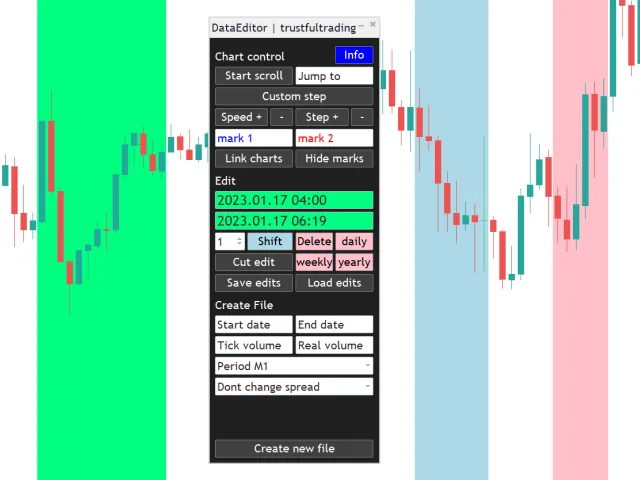
Edit once. Test the exact same scenario repeatedly.
Mark periods visually
Select exact time ranges on the chart, jump to a date and use adjustable step controls for precise navigation.
Delete or shift data
Remove selected periods or move them by one to twelve hours. Overlap checks protect the destination range.
Build recurring scenarios
Apply deletions daily, weekly or yearly, then shorten, split or remove individual edits without starting again.
Reuse editing plans
Save a complete set of edits and load it again later, so a scenario remains consistent across test runs.
Coordinate chart views
Use two daily reference marks, automatic scrolling and linked charts to inspect the same period from several perspectives.
Create bar or tick files
Export edited history as ticks or M1 through D1 bars without changing the original broker history.
See the workflow in practice.
The walkthrough shows how chart-based selections become repeatable edits and how the finished history is prepared for export.
Choose the data your test needs.
Create tick files or bar files in M1, M5, M10, M15, M30, H1, H4 and D1. Outputs are written separately to the Data Editor history folder.
Preserve, define or import spreads.
Keep the original spread, set a fixed value, estimate it from symbol history or import a daily or weekly profile recorded with the free Spread Recorder.
Built for deliberate offline preparation.
Data Editor is a MetaTrader 5 Expert Advisor for Windows. It does not place trades and it is not designed to run inside the Strategy Tester. The tool leaves broker history untouched and creates separate CSV files in MQL5\Files\DataEditor\History.
Turn historical data into a controlled test variable.
The public documentation covers installation, every editing tool, export formats, spread modes, shortcuts and troubleshooting.
Measure the costs your broker actually shows.
Spread Recorder loads historical ticks or records live spreads in MetaTrader 5, reveals recurring daily and weekly patterns and turns the result into an exportable spread profile.
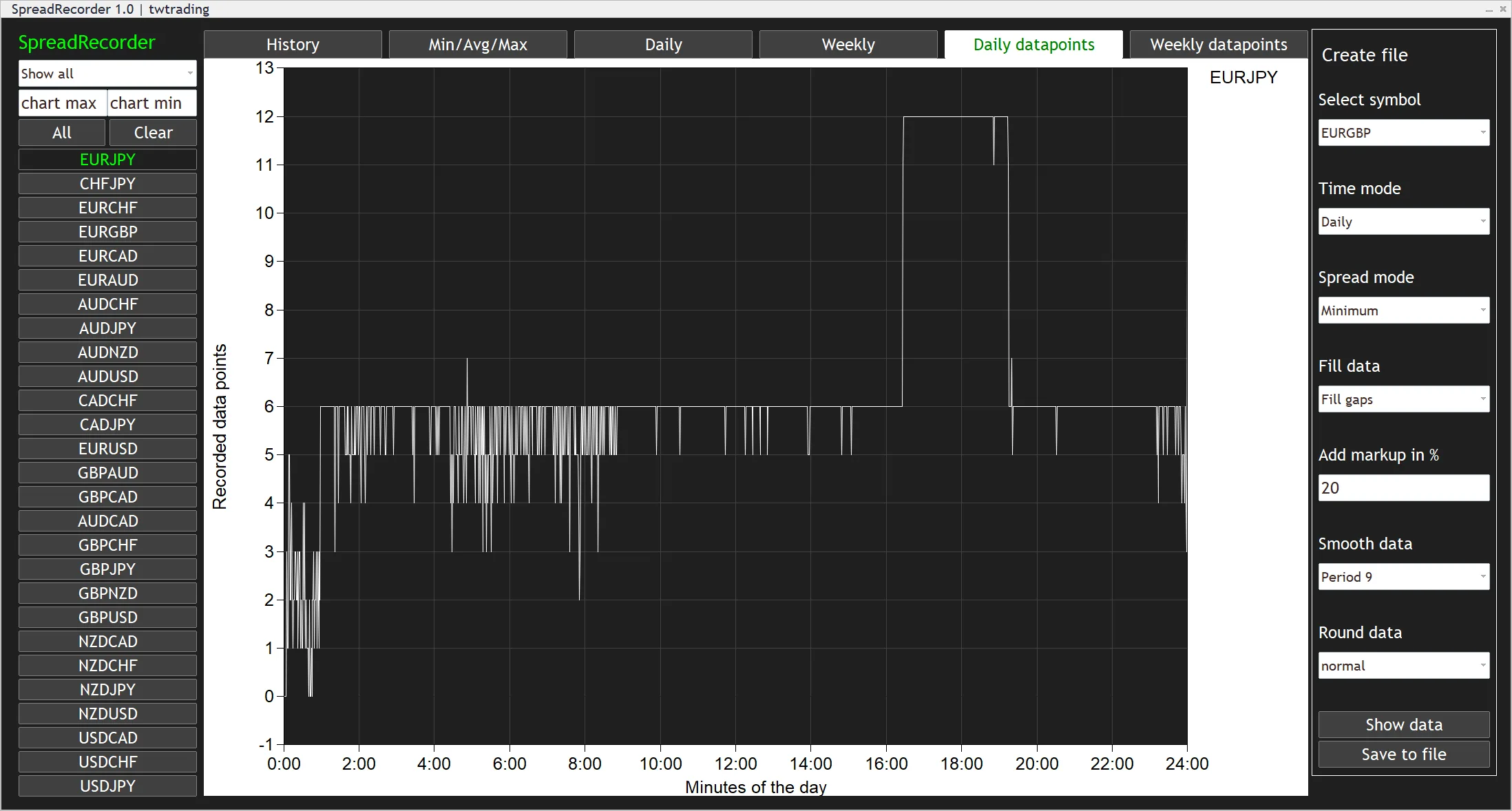
Build a spread profile from broker data.
A fixed spread assumption hides when transaction costs expand. Spread Recorder helps you inspect that variation and create a time-based series for more realistic research.
Load stored ticks
Choose a start and end time, then calculate spread observations from the broker history available in MT5.
Record new quotes
Sample the current broker spread every ten seconds while the terminal remains connected and the EA is running.
Compare up to 28 symbols
Use the current chart, all Market Watch symbols or your own semicolon-separated symbol list.
See more than an average
Review raw history, minimum, average and maximum spreads, plus daily and weekly distribution charts.
Find gaps in the source
Daily and weekly datapoint views show where observations exist and where the broker history is incomplete.
Create a reusable CSV profile
Export 1,440 daily or 10,080 weekly minute values in broker points after previewing the calculated result.
Inspect spread behaviour directly inside MT5.
Switch between six focused views, select symbols individually and change the displayed period from one minute to the complete loaded history.
Shape the profile before export.
The file builder converts the selected symbol into one value for every minute of a day or week. Each transformation remains visible in the preview.
Choose the statistic
Create the profile from the minimum, arithmetic average or maximum spread observed in each minute.
Handle missing values
Keep gaps visible or interpolate between neighbouring observations to form a complete series.
Add a safety markup
Increase every calculated value by a percentage to model a more conservative spread assumption.
Smooth the curve
Apply a centred smoothing period of 3, 5, 9, 15 or 25 values—or preserve the unsmoothed series.
Control rounding
Round normally, upward or downward when converting the result to integer broker points.
Preview, then save
Review the final daily or weekly curve in the chart before writing the semicolon-separated CSV file.
Replace a guessed spread with measured evidence.
The output reflects the broker and account from which it was recorded. Spread does not include commission, swap, slippage, execution delay or market impact.
Learn to develop your own trading systems.
Three video courses covering the full path from systematic thinking and implementation to research, validation and portfolio construction. Alpha and Beta use MQL5 for the practical coding work; Gamma focuses on transferable strategy-development principles.
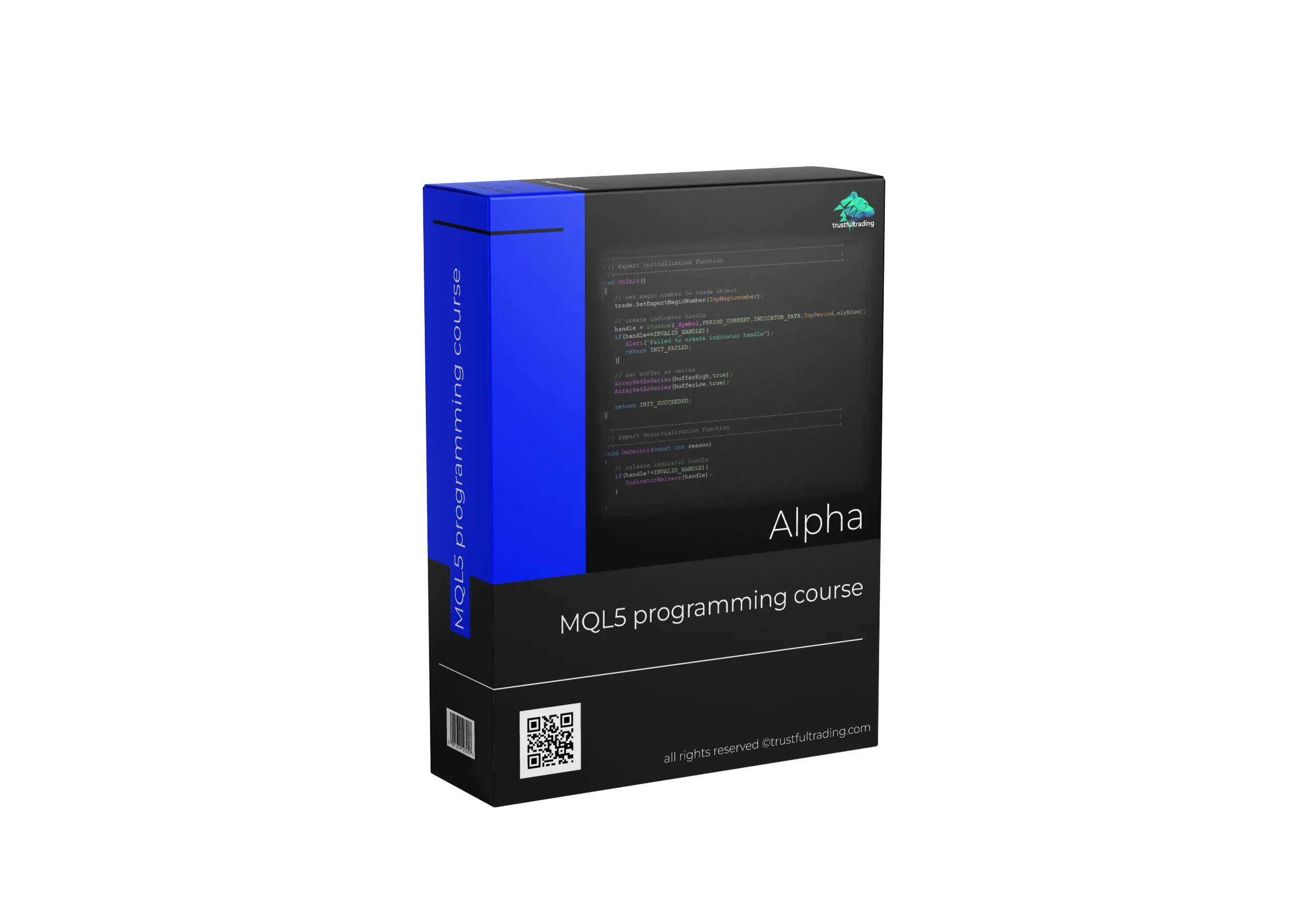
Basics of MQL5 programming
From zero to your first own scripts, indicators and expert advisors. You do not need any programming knowledge to start.
€99 · one-time payment · lifetime access
Price includes VAT where applicable. The final amount is shown at checkout.
Always available
Access the course at any time, with lifetime access.
Any device
Watch and learn on any device. You need a PC for the MT5 platform.
Worldwide access
Take the course from anywhere in the world in any web browser.
Time flexibility
Go at your own pace. If you need a break, continue later.
For everyone
Suitable for complete beginners as well as experienced traders.
Course chat
Access to the Alpha chat on Discord, so you are never stuck on a question alone.
What you will learn
Inside the Alpha course


With the course you get access to the Alpha chat on our Discord server. You can ask questions about the lessons and exercises at any time, so you are never left alone with a problem.
Join our DiscordSee how Alpha takes you from the basics to working programs.
Preview the lesson structure, practical exercises and the scripts, indicators and expert advisors you will build throughout the course.
Advanced MQL5 programming
From security mechanisms to object-oriented programming to multi-symbol implementation.
€179 · one-time payment · lifetime access
Price includes VAT where applicable. The final amount is shown at checkout.
Always available
You can access the course at any time. Lifetime access.
Practical outcome
After completing the course you will be able to code your own MT5 programs.
Worldwide access
Access the course from anywhere in the world using any web browser.
Any device
Watch and learn on any device. You need a PC for the MT5 platform.
Time flexibility
Go at your own pace. If you need a break, you can always continue later.
Advanced
Suitable for everyone who completed the Alpha course or already has some MQL5 or coding knowledge.
Among other things you will learn
Inside the Beta course


With the course you get access to the Beta chat on our Discord server. You can ask questions about the course at any time, so you are never left alone with a problem.
Join our DiscordPreview the advanced Beta workflow.
See how the course moves from robust utility functions and error handling to graphical interfaces, object-oriented design and multi-symbol expert advisors.
Strategy development
From data download and import to backtesting, optimization and stability testing, through to live trading.
€149 · one-time payment · lifetime access
Price includes VAT where applicable. The final amount is shown at checkout.
Lifetime access
Once you own the course, you can work through it at your own pace, with no time limit.
Practical outcome
After completing the course you will be able to develop your own strategies.
Worldwide access
Access the course from anywhere in the world using any web browser.
Any device
Watch and learn on any device. You need a PC for the MT5 platform.
Time flexibility
Go at your own pace. If you need a break, you can always continue later.
Advanced
Suitable for everyone who completed the Alpha or Beta course, or already has some MQL5 or coding knowledge.
Among other things you will learn
Inside the Gamma course


With the course you get access to the Gamma chat on our Discord server, where you can ask questions about the course at any time.
Join our DiscordPreview the complete strategy-development process.
Follow the path from historical data and backtesting to optimization, robustness checks, walk-forward analysis and preparation for live trading.
Personal guidance at every stage of algorithmic trading.
Start with a blank page, a rough idea, working code or a live portfolio. The session begins wherever you are and focuses on the clearest next step.
What a session covers
The five-session package saves €101 compared to booking individually. Sessions run 60 minutes; longer formats are deliberately not offered. Prices include VAT where applicable.
15 minutes on algorithmic trading
A short call to work out where you stand and what the clearest next step is. Orientation only — strategy reviews and code walkthroughs belong in a full session.
No suitable time? Write to info@antovis.com.
Everything around the system.
A strategy is only one part of automated trading. Here is what we publish about the rest: the free video library, and the infrastructure decisions that decide whether a tested edge survives.
A free library on algorithmic trading.
Our YouTube channel is a good way to get into the subject of automated trading and keep learning. There are videos on all kinds of topics in the field, from content for newcomers to more complex material, so there is something useful at every stage of a trader's development.
Coding tutorials
Explore strategy research, coding, backtesting, risk and live operations through practical videos.
Strategy testing
Learn how stability tests help reveal whether a strategy is robust enough for live trading.
YouTube code files
The programming tutorials walk you through the code step by step, so you can follow along and write it yourself. Prefer to save time typing it out? Get the code files to accompany the tutorials and study the code alongside the videos.
The videos remain free to watch. The code files are an optional purchase.
Choose the right broker so you can focus on trading.
The broker is responsible for transmitting orders, and receives a brokerage fee for that service. Private investors cannot trade directly without one, so every trader needs a good broker.
Why we use Darwinex for our trading
A walkthrough of the reasons this broker ended up carrying our own live accounts.
The broker we recommend
We hold an active real-money account with every broker we recommend. We trade with them ourselves, so we can recommend them with a clear conscience.
Darwinex is a relatively small and still fairly unknown broker based in the UK, largely because it hardly invests in advertising and wins customers by recommendation. It does not act against its own customers, so it has an interest in their long-term success. It also runs a platform where any trader can release a strategy for investors and take a share of the profits those investors make. We trade mainly with Darwinex, so we are happy to recommend it.
Visit DarwinexTo achieve good results you need a stable connection.
A VPS, or virtual private server, is like a remote computer. It can be operated anywhere in the world and is always on with an active internet connection. That constant connection lets trades and automated trading algorithms run around the clock, even when your own PC is switched off. For algo traders a VPS is essential.
Get a trading VPS: step-by-step tutorial
How to get a VPS for your algo trading and install MetaTrader 5 on the server, step by step.
The VPS provider we recommend
We hold an active account with the provider we recommend and use this VPS for our own trading.
Contabo offers high-quality virtual private servers with a strong price-performance ratio, with NVMe SSDs and generous RAM and traffic allowances. We use Contabo for our own algo trading, so we are happy to recommend the provider.
Visit ContaboGenerate profit by trading external capital.
Proprietary trading firms give traders access to capital, either after an evaluation or through a subscription model. The four below are the ones we work with. Master EA includes hard daily and maximum drawdown limits built for their evaluation rules.
Darwinex Zero is a proprietary trading firm that lets traders access capital without an upfront evaluation challenge. Its model lets traders build a track record and attract capital from investors, earning performance fees.
Check out Darwinex ZeroFundedNext provides access to capital through several funding models, including evaluation-based challenges and instant funding, with flexible trading conditions and competitive profit splits.
Check out FundedNextThe5ers funds traders with capital after an evaluation phase, and offers several funding models including instant funding and growth programs.
Check out The5ersFTMO is one of the most popular proprietary trading firms, offering access to capital after an evaluation challenge, with a structured approach and strict risk management rules.
Check out FTMO[ swap the four links above for your own referral links, including the Darwinex Zero 20% discount link ]
Antovis Analytics

We build and operate algorithmic trading systems, combining research, software engineering, portfolio construction and disciplined live execution.
Our goal is to help traders use fully automated systems to trade the markets consistently. We believe anyone with the right attitude can get there, and that our products and services provide real value to anyone seriously interested in trading.
That is why nothing we offer is presented as a black box. The courses teach the process, the software exposes the evidence and the strategy logic is explained rather than hidden.
Let's talk about your next step.
Whether you are starting with an idea or improving a live portfolio, tell me where you are and what you want to achieve.
Frequently asked questions
Get in touch
Questions, suggestions or anything else: use the form and we will get back to you as soon as possible.